

A local business can publish blogs every month, add keywords to service pages, and still watch traffic slide backward. That is when the real question starts: why are rankings dropping when content is still being produced?
At Pinpoint Digital LLC, we see this often with Connecticut businesses that paid for content before fixing the website beneath it. The words may be fine, but the site architecture is quietly working against them. Broken canonical tags, crawl errors, slow page speed, bloated page builders, redirect chains, duplicate pages, and poor Core Web Vitals can stop good content from reaching its full ranking potential.
That is why a true Digital Marketing CT strategy needs more than blog posts. It needs a technical SEO audit service that checks how search engines, users, and AI-powered search systems actually access, understand, and trust the site.
What Are Technical SEO “Silent Killers”?
Technical SEO errors are backend problems that damage visibility without always being obvious to the business owner. The website may look fine on the surface, but search engines may be struggling to crawl it, index it, load it, or identify the right page to rank.
These issues are “silent” because they often hide inside:
- Source code
- Indexation settings
- Canonical tags
- Redirect rules
- Server responses
- Page speed scripts
- Mobile layout behavior
- Sitemap files
- Internal links
- Schema markup
- Robots directives
- Thin or duplicate URL paths
A cheap blog package cannot overcome a website that search engines cannot process cleanly.
Why Content Alone Cannot Fix a Technical Problem
Content matters, but content needs a healthy website to perform. Google’s SEO Starter Guide explains that logical site organization helps search engines and users understand how pages relate to the rest of the site, and duplicate content can waste crawling resources on URLs that do not matter.
For a contractor, landscaper, plumber, attorney, medical office, restaurant, or small business in Connecticut, this matters because local search is competitive. If two companies publish similar service content, the cleaner technical foundation often gives one site a better path to visibility.
Our approach emphasizes clean code, fast load times, optimized images, headings, meta descriptions, schema markup, user experience, and conversion-focused design. Those same details are exactly where technical SEO wins or loses rankings.
Silent Killer 1: Broken Canonical Tags
A canonical tag tells search engines which version of a page should be treated as the main version. This matters when a page can be reached through multiple URLs, such as:
- HTTP and HTTPS versions
- WWW and non-WWW versions
- Tracking parameter URLs
- Category duplicates
- Printer-friendly pages
- Old landing page copies
- Location pages with similar layouts
Google explains that canonicalization helps consolidate signals from duplicate or similar pages and helps avoid spending crawl time on duplicate pages. Google also recommends linking internally to the canonical URL rather than duplicate versions.
Common canonical mistakes include:
- Canonical tags pointing to the wrong page
- Every page canonicalized to the homepage
- Service pages canonicalized to blog posts
- Location pages canonicalized to the wrong town
- Sitemap URLs disagreeing with canonical tags
- JavaScript changing canonical elements after load
- Multiple canonical signals sending mixed messages
When canonical tags are wrong, the page you want to rank may not be the page search engines choose.
Silent Killer 2: Messy Indexation Loops
Indexation issues happen when search engines receive confusing instructions about what should appear in search results. A page may be crawlable but noindexed. Another page may be blocked by robots.txt but still discoverable through links. A sitemap may list pages that are redirected, duplicated, or thin.
Google states that robots.txt is mainly used to manage crawler access and is not a reliable way to keep a web page out of Google. To keep a page out of Search, Google recommends noindex or password protection instead.
Indexation problems can cause:
- Valuable service pages missing from search
- Staging pages appearing in search
- Duplicate pages competing against each other
- Old URLs outranking newer pages
- Search Console showing “Crawled, currently not indexed”
- Important pages excluded by noindex
- Thin tag or archive pages wasting crawl attention
A website crawl errors guide should always include indexation review because small checkbox settings in WordPress, plugins, themes, or page builders can block growth for months.
Silent Killer 3: Bad Redirect Chains
Redirects are useful when URLs change, pages merge, or old content needs to point to a better destination. Google explains that redirects tell visitors and Google Search that a page has moved, and permanent redirects are recommended when a page URL should change in search results.
The problem starts when redirects stack up.
Example:
Old page redirects to older page
Older page redirects to category page
Category page redirects to new service page
That chain creates friction. It slows down the user experience, complicates crawling, and increases the chance that old signals are not being passed cleanly.
A technical SEO audit should look for:
- 301 chains
- 302 redirects used when 301 is correct
- Redirect loops
- Old HTTP redirects
- Broken destination URLs
- Internal links pointing to redirected URLs
- Removed pages with no relevant replacement
- Redirects that send users to unrelated pages
The fix is usually simple but high impact: update internal links, shorten redirects to one clean hop, and make sure every redirect has a logical destination.
Silent Killer 4: Poor Core Web Vitals
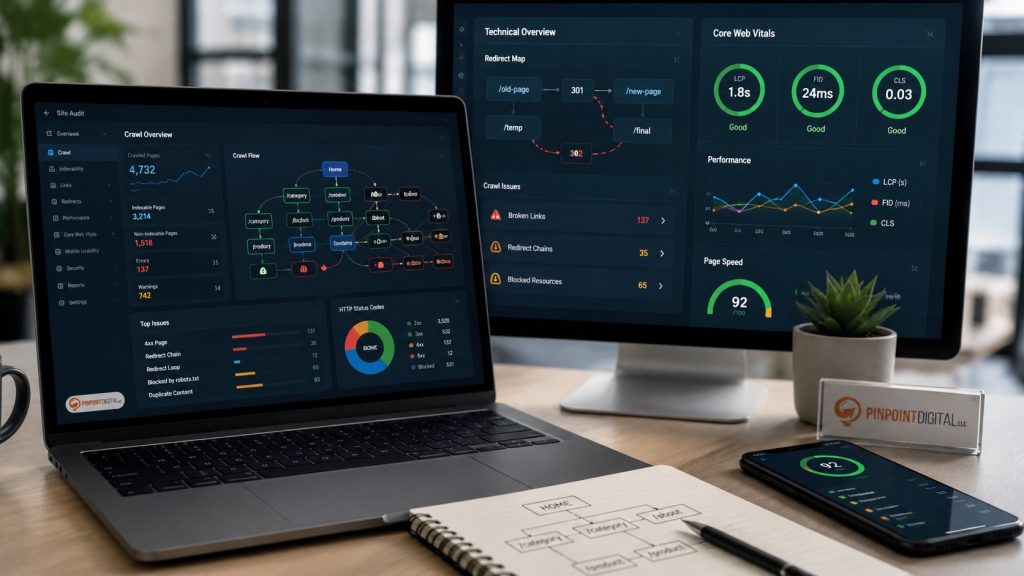
Many business owners search for how to fix slow website speed because the site feels sluggish, but speed is only part of the issue. Google’s Core Web Vitals measure real-world user experience for loading performance, responsiveness, and visual stability. The key metrics are Largest Contentful Paint, Interaction to Next Paint, and Cumulative Layout Shift. Google recommends good Core Web Vitals for Search success and user experience.
In plain language:
| Core Web Vital | What It Measures | Common Business Website Problem |
|---|---|---|
| LCP | How fast the main content loads | Huge hero images, slow hosting, bloated themes |
| INP | How fast the page responds | Heavy scripts, plugins, chat widgets, form tools |
| CLS | How stable the layout feels | Images, ads, fonts, and buttons shifting during load |
Core Web Vitals optimization is not just a developer vanity metric. A slow, unstable site makes visitors lose patience before they call, book, request a quote, or fill out a form.
Silent Killer 5: Bloated Page Builder Code
Page builders can help launch websites quickly, but many create bloated code, excessive div layers, unused CSS, render-blocking scripts, and plugin conflicts. A page may look attractive while loading slowly, shifting unexpectedly, or producing messy HTML that makes the content harder to parse.
That matters more now because search engines and AI systems need to extract meaning from the page structure. Google’s guidance for generative AI features says SEO still matters because generative AI features in Google Search are rooted in core Search ranking and quality systems. Google also emphasizes foundational SEO best practices, including clear technical structure and valuable, non-commodity content.
That means the future is not “write more blogs and hope.” The future is clean architecture, helpful content, structured data, fast templates, clear headings, strong internal links, and pages that can be understood by both people and machines.
Silent Killer 6: Broken Internal Links
Internal links tell search engines which pages matter and how topics connect. They also help users move from a blog post to a service page, portfolio, review page, or contact form.
For example, a blog post about technical SEO should naturally connect to:
- Digital Marketing CT
- Web Design CT
- Contractor Marketing
- Small Business Websites
- Reviews
- Contact Pinpoint Digital
Google notes that links help search engines discover pages and can provide more context on a topic for both users and search engines.
Broken or weak internal linking can leave important pages isolated, even when those pages have strong content.
Silent Killer 7: Missing or Messy Schema Markup
Schema markup helps clarify entities, services, locations, reviews, FAQs, articles, products, and business details. It does not replace good content, but it supports machine understanding.
For a Connecticut service business, schema can help reinforce:
- Business name
- Service areas
- Service categories
- LocalBusiness details
- Reviews
- FAQs
- Blog topics
- Contact details
- Geographic relevance
- Contractor or professional service expertise
Bad schema can create confusion. Missing required fields, fake review markup, conflicting business names, duplicate organization IDs, or outdated phone numbers can reduce trust in the page structure.
A Practical Website Crawl Errors Guide for Business Owners
A strong technical SEO audit service should review more than one speed score or one keyword report. It should look at the full technical path from crawl to conversion.
Crawlability
Can search engines reach the right pages? Are important assets blocked? Are there crawl traps or unnecessary URLs?
Indexation
Are important service pages indexed? Are weak pages excluded? Are noindex and robots rules being used correctly?
Canonicals
Does each page point to the correct preferred URL? Are duplicate versions consolidated properly?
Redirects
Are old URLs redirected cleanly? Are there chains, loops, or irrelevant destinations?
Core Web Vitals
Are LCP, INP, and CLS within healthy ranges? Are mobile users getting a fast, stable experience?
Site Architecture
Do service pages, location pages, blogs, and case studies connect logically?
Structured Data
Does schema markup reinforce the business, location, service, and page purpose?
Conversion Paths
Can users quickly call, submit a form, view proof, and understand why the business is trustworthy?
Why Local Connecticut Businesses Feel Technical SEO Problems First
Local service markets are crowded. In Hartford, Plainville, Southington, Farmington, Bristol, New Britain, West Hartford, New Haven, and surrounding Connecticut towns, businesses compete for the same high-intent “near me” searches.
A local contractor with slow pages, duplicate town pages, weak schema, and crawl errors may struggle even with decent blog content. Meanwhile, a competitor with clean templates, strong local structure, fast service pages, and clear internal links can win more impressions and leads.
Pinpoint Digital’s small business websites service is a strong fit for this kind of problem because local visibility depends on both strategy and execution.
What a Technical SEO Audit Should Deliver
A real audit should not hand over a confusing spreadsheet and walk away. It should identify what is broken, explain why it matters, and prioritize fixes by business impact.
A strong audit should include:
- Crawl error report
- Indexation review
- Canonical tag review
- Redirect cleanup plan
- XML sitemap check
- Robots.txt review
- Core Web Vitals analysis
- Image and script optimization review
- Mobile usability review
- Internal linking map
- Schema markup review
- Duplicate content analysis
- Page template review
- Local SEO structure review
- Priority action plan
The best audits turn technical findings into a growth roadmap.
How to Fix Slow Website Speed Without Breaking the Site
Speed work should be done carefully. Randomly installing caching plugins can create new problems, especially on WordPress websites with forms, tracking, animations, scripts, page builders, and third-party tools.
A safer process includes:
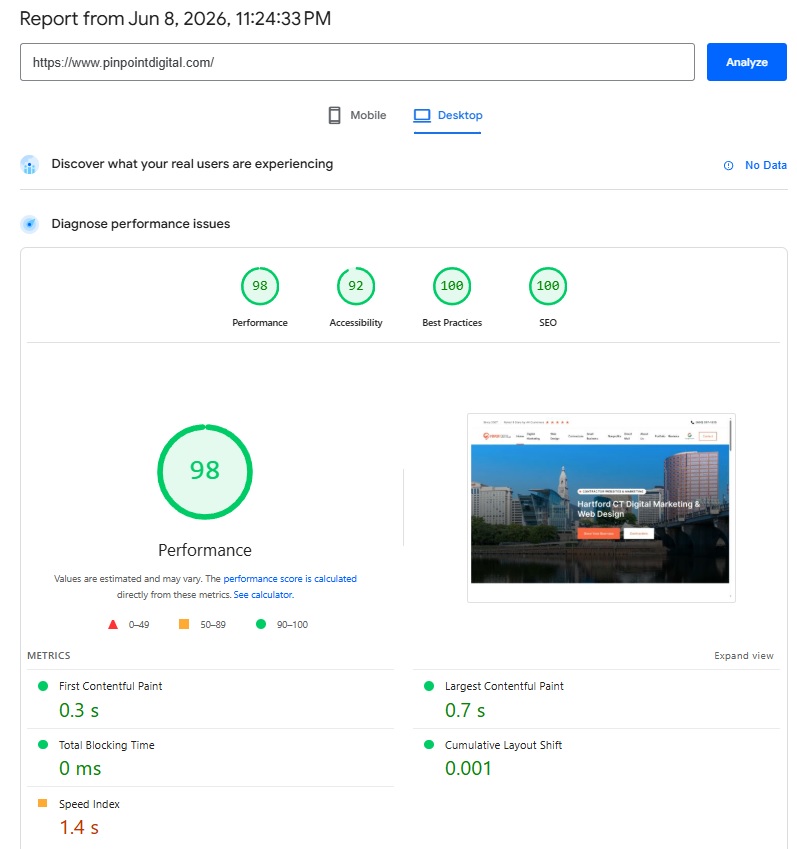
- Measure performance with field and lab data.
- Identify the largest content element affecting LCP.
- Compress and resize oversized images.
- Remove unused plugins and scripts.
- Defer noncritical JavaScript.
- Reduce layout shifts from images, fonts, and embeds.
- Improve hosting or caching where needed.
- Test forms and tracking after changes.
- Monitor Search Console Core Web Vitals data over time.
- Recheck conversions, not just scores.
Fast is only valuable when the site still works and converts.
The Technical Foundation That Makes Content Work
Cheap content often fails because it is added to a weak foundation. A better approach starts with the technical base, then builds content around real search intent, strong local relevance, and clear conversion paths.
For Pinpoint Digital clients, that means the website should be:
- Crawlable
- Indexable
- Fast
- Mobile-friendly
- Structured clearly
- Easy to navigate
- Built with clean code
- Supported by schema
- Connected through internal links
- Designed to convert visitors into leads
That is how SEO becomes a business asset instead of another monthly expense.
Stop Publishing Around the Problem
Traffic drops are rarely random. When rankings fall despite new content, the issue may not be the writer. It may be the invisible technical layer underneath every page.
A technical SEO audit finds the silent killers before they drain more leads: broken canonicals, indexation loops, bad redirects, slow templates, poor Core Web Vitals, messy schema, and weak internal links.
At Pinpoint Digital LLC, our team helps Connecticut businesses connect clean web design, technical SEO, local search strategy, content, analytics, and conversion-focused digital marketing. For businesses ready to stop guessing, schedule a conversation through contact Pinpoint Digital.
FAQs
What is a technical SEO audit service?
A technical SEO audit service reviews how search engines crawl, index, load, and understand a website. It checks issues such as crawl errors, canonical tags, redirects, Core Web Vitals, schema, mobile usability, internal links, sitemap health, and indexation settings.
Why is my website traffic dropping even with new blog content?
Traffic can drop when technical SEO errors prevent pages from being crawled, indexed, loaded, or understood correctly. New content may not perform if the site has duplicate URLs, poor speed, bad redirects, broken internal links, or conflicting indexation signals.
How do you fix slow website speed?
Fixing slow website speed usually involves optimizing images, improving hosting, reducing unused scripts, cleaning up plugins, deferring noncritical JavaScript, improving caching, reducing layout shifts, and monitoring Core Web Vitals over time.
What are Core Web Vitals?
Core Web Vitals are Google performance metrics that measure loading speed, responsiveness, and visual stability. The three key metrics are LCP, INP, and CLS.
What are website crawl errors?
Website crawl errors happen when search engines cannot properly access or process a page. Common causes include broken links, server errors, redirect loops, blocked resources, noindex mistakes, sitemap issues, and pages that return the wrong status code.
Does technical SEO matter for AI search visibility?
Yes. Google says SEO best practices still matter for generative AI features because those features are rooted in core Search ranking and quality systems. Clean technical structure, helpful content, and proper indexing remain important.